
Make Cartoons with ChatGPT
With GPT-4o, making animated videos has never been easier.
You’ve probably seen those viral mini-cartoons popping up everywhere — expressive characters, cool backgrounds, and smooth storytelling.
What if I told you that you can make your own, right now, using ChatGPT 4o?
Here’s how people are doing it (and how you can too):
🧑🎨 Step 1: Create your characters
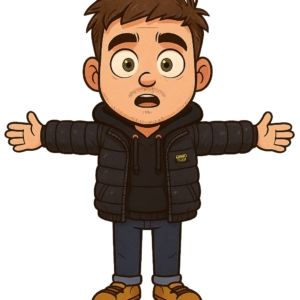
Upload a photo of yourself (or anyone) to ChatGPT and ask it to turn the person into a 2.5D cartoon — same outfit, fine lines, T-pose, and a green screen background.
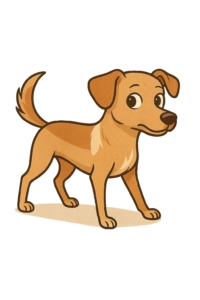
Once you find your style, ask ChatGPT to create 3-4 matching characters to complete your cast.
🌆 Step 2: Generate your scenes
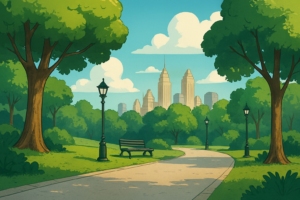
Describe the setting you want (e.g. a sci-fi city, classroom, forest) and ask for images in 16:9 aspect ratio — keeping the same cartoon style.
The results? Clean, consistent, and surprisingly good.
💡 Step 3: Compose your scenes
Need to position characters or objects in a specific way? Just ask ChatGPT to create the layout for you. You can even request tweaks to lighting, mood, or angle.
You’re basically the director now.
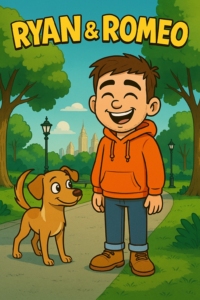
🎞️ Step 4: Animate it all with Kling AI
Once you have your characters and scenes ready, use Kling AI to bring them to life.
It turns your still images into smooth, realistic animations — automatically.
Just upload your frames and let Kling handle the motion.
Many users are also upscaling with @Magnific_AI for that ultra-crisp, cinematic quality.
And that’s it. No expensive tools. No design skills.
Just you, a few prompts, and ChatGPT 4o — now with a full production pipeline thanks to Kling AI.
👉 Want more AI tools that actually work? Stick with romanojryan.com
Real AI. Real results.🍊
1 Comment
by pk88betvn
Alright, pk88betvn time to roll the dice! New place to test my luck, let’s see what happens. Check it out here: pk88betvn